The Cell Creator, also known as Cell Editor, is a type of creator in Spore that allows cell design and customization.
Unlike the other creators, the Cell Creator doesn't have a button and is only accessed by editing a pre-existing owned cell in Sporepedia or during Cell Stage after mating.
Summary
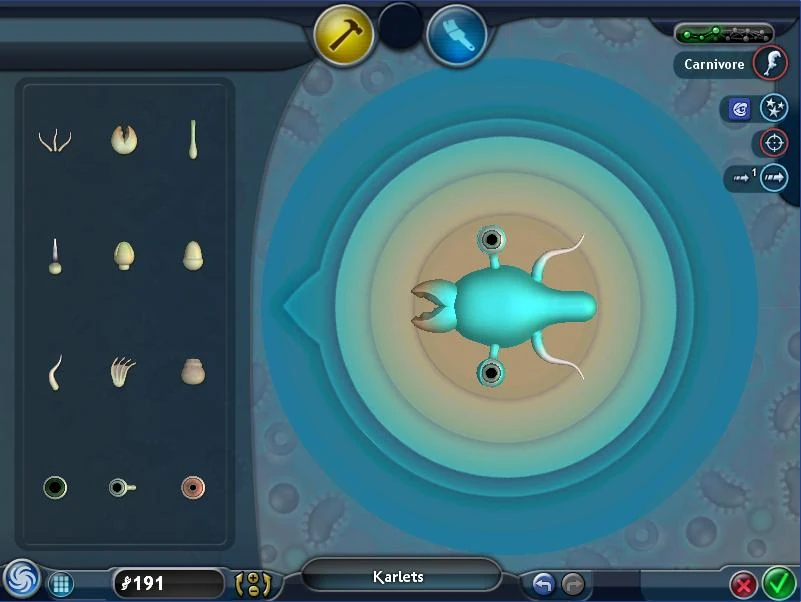

Build Mode
The Cell Creator is set in a top-down view. Being more restrictive in adjusting the cell's body than the Creature Creator, the cell has an unstretchable body and is set with six vertebrae long. The vertebrae must also be in one line but otherwise can be shaped as desired; the cell can be fattened and thinned at each vertebra just like in the Creature Creator. The placement of parts on the cell is restricted to placing on the sides of the cell's body.
Paint Mode
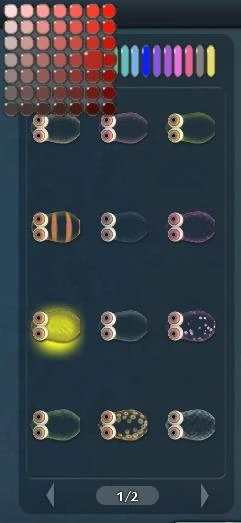

Paint Mode
There are 24 styles to paint the cell with and 735 colors. Styles change as the player progresses through the Cell Stage.
Parts
The availability of parts is also carried to the Early Creature Creator.
| Name of Part | Type of Part | Ability given in the Cell Stage | Cost in DNA | Ability given in the Creature stage |
|---|---|---|---|---|
| Filter Mouth | Mouth | Can eat plants | 15 | Can eat fruit |
| Jaw | Mouth | Can eat floating meat | 15 | Can eat meat |
| Proboscis | Mouth | Can drink living cells and plants, but not floating meat | 25 | Can eat meat and fruit |
| Spike | Weapon | Attack & Break | 10 | Charge* (Level 1) |
| Poison | Weapon | Spit Poison + Being unaffected by other cells' poison. | 15 | Spit* (Level 1) |
| Electric | Weapon | Electrocute + Being unaffected by other cells' electrocution. | 25 | Charm* (Level 1) |
| Flagella | Speed | Speed +1 | 15 | Sneak* (Level 1) |
| Cilia | Speed | Fast Turns + Speed +1 | 15 | Jump* (Level 1) |
| Jet | Speed | Speed +2 | 25 | Sprint* (Level 1) |
| Beady Eye | Sight | Sight | 5 | Sight |
| Stalk Eye | Sight | Sight | 5 | Sight |
| Button Eye | Sight | Sight | 5 | Sight |
| Long Eye | Sight | Sight | 5 | Not accessible* |
Hidden editor
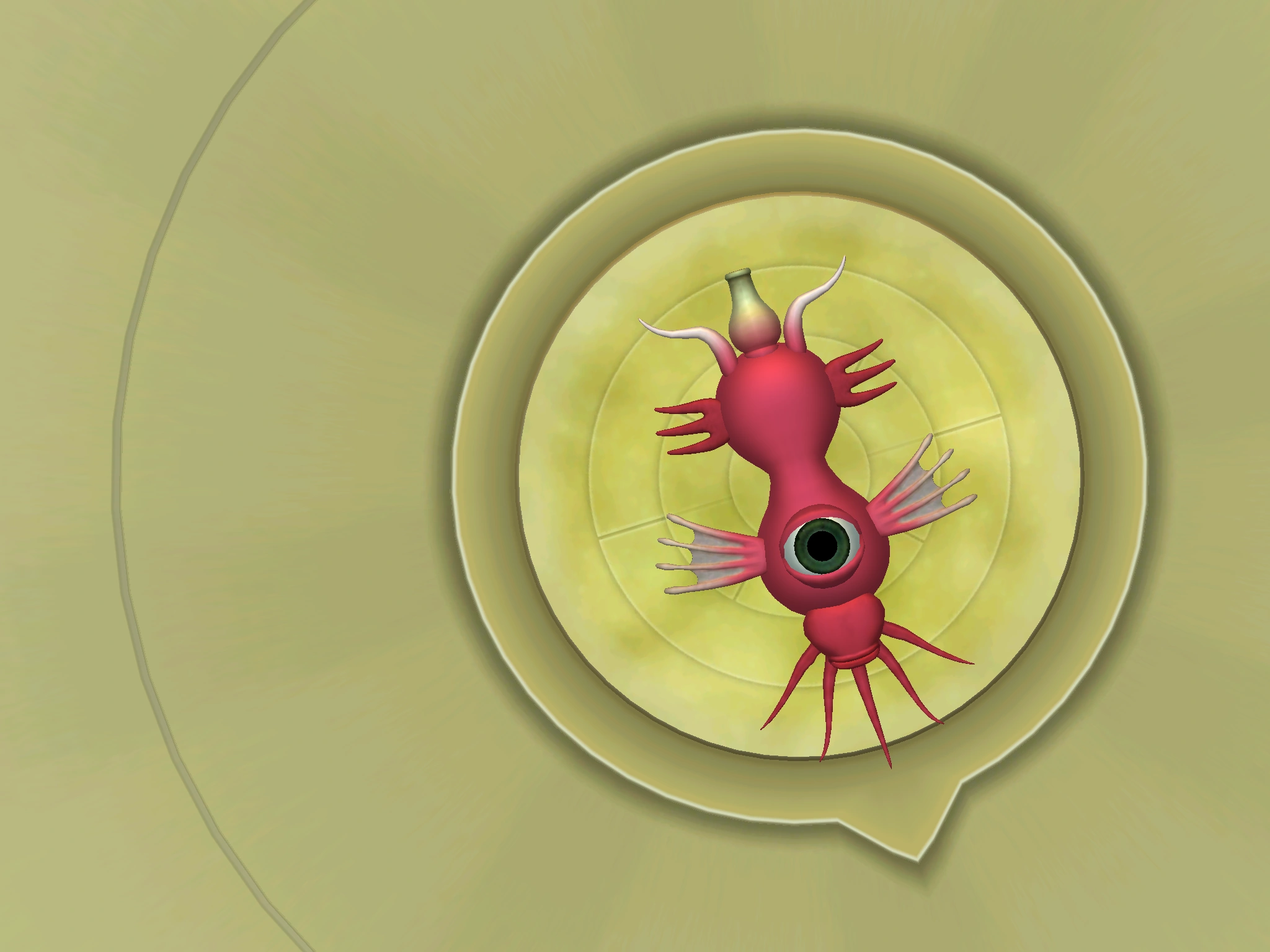

A cell made in the Hidden Cell Editor.
Spore has a secret version of the Cell Creator, featuring a different appearance and expanded availability of alternative cell parts of pre-existing ones that otherwise couldn't be accessed on the normal creator.
Generally, on a Spore Origin/DVD install on Windows, the steps to access this editor are:
- Right-clicking on the Spore shortcut icon (or Spore Galactic Adventures', if that expansion pack was installed)
- Go to Properties.
- Edit the target so the end reads -state:CellEditor as a launch option for the Spore/Spore GA executable file. If a language locale suffix (i.e. -locale:en-uk) exists alongside the target, and the player desires to play/keep playing on another language other than the default "en-us" (English from the USA), then that suffix must be kept- For example, on Base Spore game, «"C:\Program Files\Electronic Arts\SPORE\Sporebin\SporeApp.exe" -locale:en-us» -> «"C:\Program Files\Electronic Arts\SPORE\Sporebin\SporeApp.exe" -locale:en-us -state:CellEditor» is equivalent to «"C:\Program Files\Electronic Arts\SPORE\Sporebin\SporeApp.exe" » -> «"C:\Program Files\Electronic Arts\SPORE\Sporebin\SporeApp.exe" -state:CellEditor», but, if you were a Spanish speaker playing the game in Spanish from Spain (es-es), «"C:\Program Files\Electronic Arts\SPORE\Sporebin\SporeApp.exe" -locale:es-es» -> «"C:\Program Files\Electronic Arts\SPORE\Sporebin\SporeApp.exe" -locale:es-es -state:CellEditor»
On the Steam platform, the process above is done instead by going into the games library, right-clicking on the desired version of Spore, going into Properties, and then over the General tab beneath the Selected Launch option, type "-state:CellEditor".
After launching the game with this modified parameters, the game will initiate the editor instead of the opening. Exiting the editor in any way that is not the quit spore option will launch Spore as normal. Although saving the cell in this version is possible, the cell can't be normally used or edited in an unmodded main game unless certain specific conditions are met, such as:
- Editing is still possible on certain unmodded game versions if you drag the advanced cell .png made with this hidden editor to an already open hidden editor. In some unmodded installs dragging a hidden cell .png while on the menu may open the proper editor.
- Editing and saving a cell with hidden parts is still possible if the cell the player was editing during a saved game already had these parts, either because of weird bugs, or certain manual modification of configuration files that disable forced saved validation (modifications of the ConfigManager.txt and Properties.txt, which are just Spore hidden setting manual modifications and not actual outright mods per se, thus compatible with all installs).
Trivia
- In Spore Galactic Edition, the alternative variants of cell parts are featured in the 'Art Of Spore' artwork book which shows the beta elements/concept art of Spore.
- Most of these secret parts are alternative variants of the basic parts seen in the artwork book.
- Creations can be saved, but not shared via global Sporepedia, and will not appear as NPCs in the Cell Stage.
- When using a properly option-modified install that allows these "hidden" advanced cell parts to be used on cells and creatures without modifying their base-game unmodded functions, these alternate parts, for one reason or another, act nearly the same as their default parts during cell stage (except, naturally, differences related with different shapes, sizes and hitboxes), but may not perform the same abilities as their non-hidden parts during creature stage. For example, Long Eye does not provide Creature-stage Sight, some of the herbivore and carnivore mouths do not provide Sing, and most of the other advanced parts do not provide the abilities marked with "*" on the table above.
- Interestingly enough, secret creature parts like those that provide spit poison will actually perform the spit animation and launch spit during creature stage if at least a part with proper creature stage spit ability is added, as seen here.
Glitches
- It is possible to unmirror parts in the cell editor. On version 1.05 from Spore onwards, when you enter any other editor and then enter the cell editor you can unmirror parts by pressing A on your keyboard. Note that this is already possible in the secret cell editor and there you dont need to open another.
- Its possible to flip the eyes of a cell upside down. This only works with the Beady Eye and the Button Eye. When you unmirror an eye like explained in the first glitch, you can move it to the center and when done correctly the eye is flipped upside down. Its also possible without unmirroring it but this time with 2 eyes. Its unknown how this works. The cell will look the same in game as shown in the image.
Gallery


| ||||||||||||||||||||||||||||||||||||||||||